Tenants
A tenant is an isolated organization. The Tenants module is where you switch between the tenants you belong to — and, for superadmins, where you administer all of them.
Who can access this: anyone who belongs to more than one tenant (to switch), and superadmins (to administer).
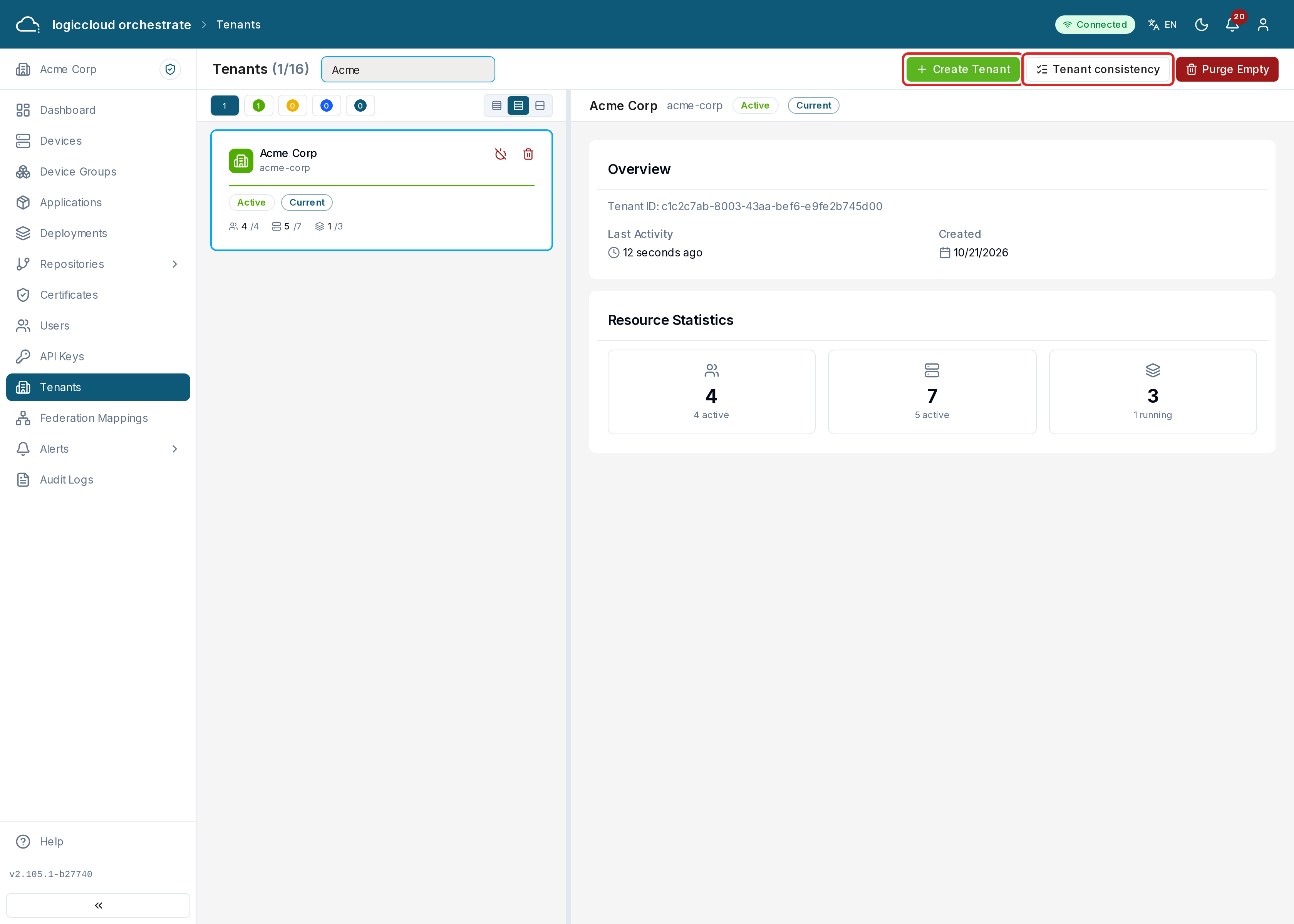
If you belong to more than one tenant
Section titled “If you belong to more than one tenant”You see a simple My Tenants list of the organizations you’re a member of, each with a Switch To action. Switching reloads the app in that tenant’s context — the URL slug changes and the sidebar updates to match your role there. A switch between tenants you are a member of needs no reason and creates no switch record.
If you’re a superadmin
Section titled “If you’re a superadmin”You see every tenant as a card with its name, slug, status, the number of users, devices and deployments, the last activity and the creation date. The tenant you work in is marked Current. Use Search tenants… and the status buttons to find a tenant.
Creating a tenant
Section titled “Creating a tenant”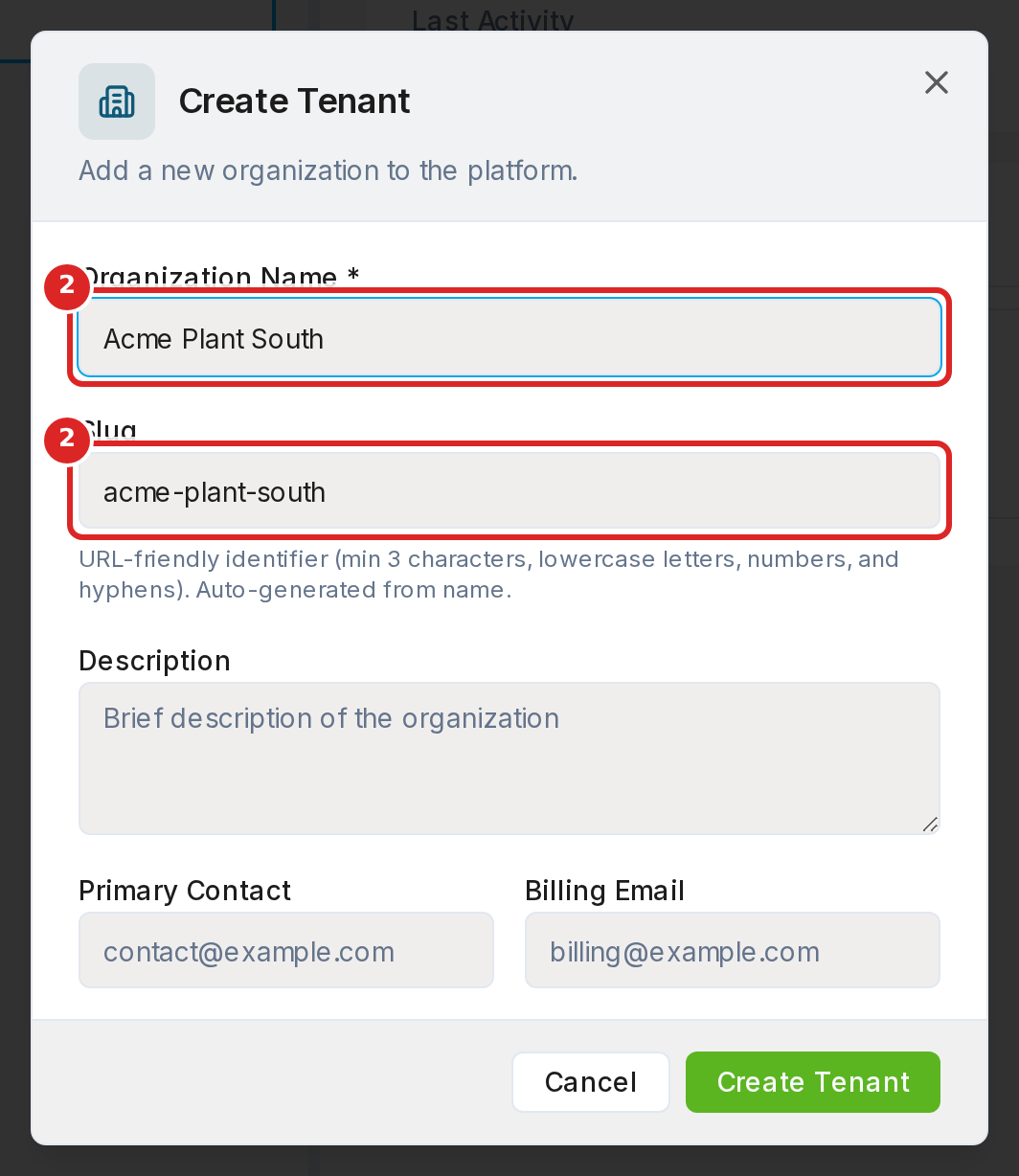
- Click Create Tenant.
- Enter the Organization Name. logiccloud orchestrate suggests a Slug from it. The slug is the tenant’s short name in addresses: 3 to 50 characters, lowercase letters, digits and hyphens. It cannot change later, and a slug can be used only once: the slug of a deleted tenant stays taken.
- Optionally add a Description, the Primary Contact and a Billing Email, and submit.
Managing a tenant
Section titled “Managing a tenant”- Select it to see its details.
- Enable / Disable it — disabled tenants are inaccessible to their members.
- Switch To it. A superadmin or SUPPORT user who is not a member of the
tenant gives a reason. The switch opens and is audited. Without it, the API
returns 403
TENANT_SWITCH_REQUIRED. See Tenant scoping and tenant switching. - Delete it. logiccloud orchestrate first checks the tenant:
- An empty tenant is deleted after you type its name to confirm (Delete Forever).
- A tenant that still has resources lists them. A superadmin can force delete it: tick the confirmation, type the name and click Force Delete Forever. This removes the tenant’s users, devices, deployments and applications.
Purging empty tenants
Section titled “Purging empty tenants”Purge Empty removes every tenant that has no users, devices or deployments.
Type DELETE to confirm and click Purge Forever. The result lists each
tenant.
Tenant consistency
Section titled “Tenant consistency”Tenant consistency (a button on the Tenants page) lists users whose tenant memberships in logiccloud orchestrate and in the sign-in system (Keycloak) disagree. Such a user may land in the wrong tenant or not be able to sign in. The buttons filter the list:
| Filter | Meaning |
|---|---|
| Hanging | The sign-in system lists a tenant the user is not in, or misses one they are in. |
| Unassigned | The user belongs to no tenant. |
| Unknown organization | The sign-in system names a tenant that does not exist. |
| Keycloak only | A sign-in account exists, but no logiccloud orchestrate user. |
For each user (or several selected users):
- Anchor to a tenant — makes the chosen tenant the user’s primary tenant, aligns the sign-in system with all of the user’s tenants, and adds the user to the chosen tenant (as viewer, or with the role you choose) when needed.
- Delete user — removes the user from logiccloud orchestrate and from the sign-in system.
Status values
Section titled “Status values”| Status | Meaning |
|---|---|
| Active | In use; members can sign in. |
| Pending Setup | Newly created and not set up yet. |
| Disabled | Turned off by a superadmin. |
| Suspended | Access is withheld. |