Corporate sign-in and Federation Mappings
Your organization can let people sign in to logiccloud orchestrate with their corporate Microsoft account (Microsoft Entra ID). logiccloud orchestrate then gives each person a role in a tenant based on their Entra app roles or groups. A platform superadmin sets up these rules on the Federation Mappings page.
Who can access this: the sign-in works for everyone. The Federation Mappings page is for superadmins only.
Signing in with Microsoft
Section titled “Signing in with Microsoft”- Open logiccloud orchestrate. You are taken to the sign-in page.
- Choose the Microsoft sign-in your administrator set up (for example Sign in with Microsoft) and sign in with your corporate account.
- logiccloud orchestrate opens your tenant with the role your mappings give you.
When you sign in for the first time, logiccloud orchestrate creates your user. If no mapping matches your account, you have no tenant role yet: ask your administrator.
When Entra ID governs the user accounts
Section titled “When Entra ID governs the user accounts”When Entra ID sign-in is switched on for your installation, Entra decides who has which role. In Users you then cannot invite users, reset passwords, change roles or change superuser access by hand. A user who still signs in with a local logiccloud orchestrate password sees the notice Entra federation is enabled for this realm on every page. That user should sign in through Entra instead and have the local account removed.
Federation Mappings (superadmins)
Section titled “Federation Mappings (superadmins)”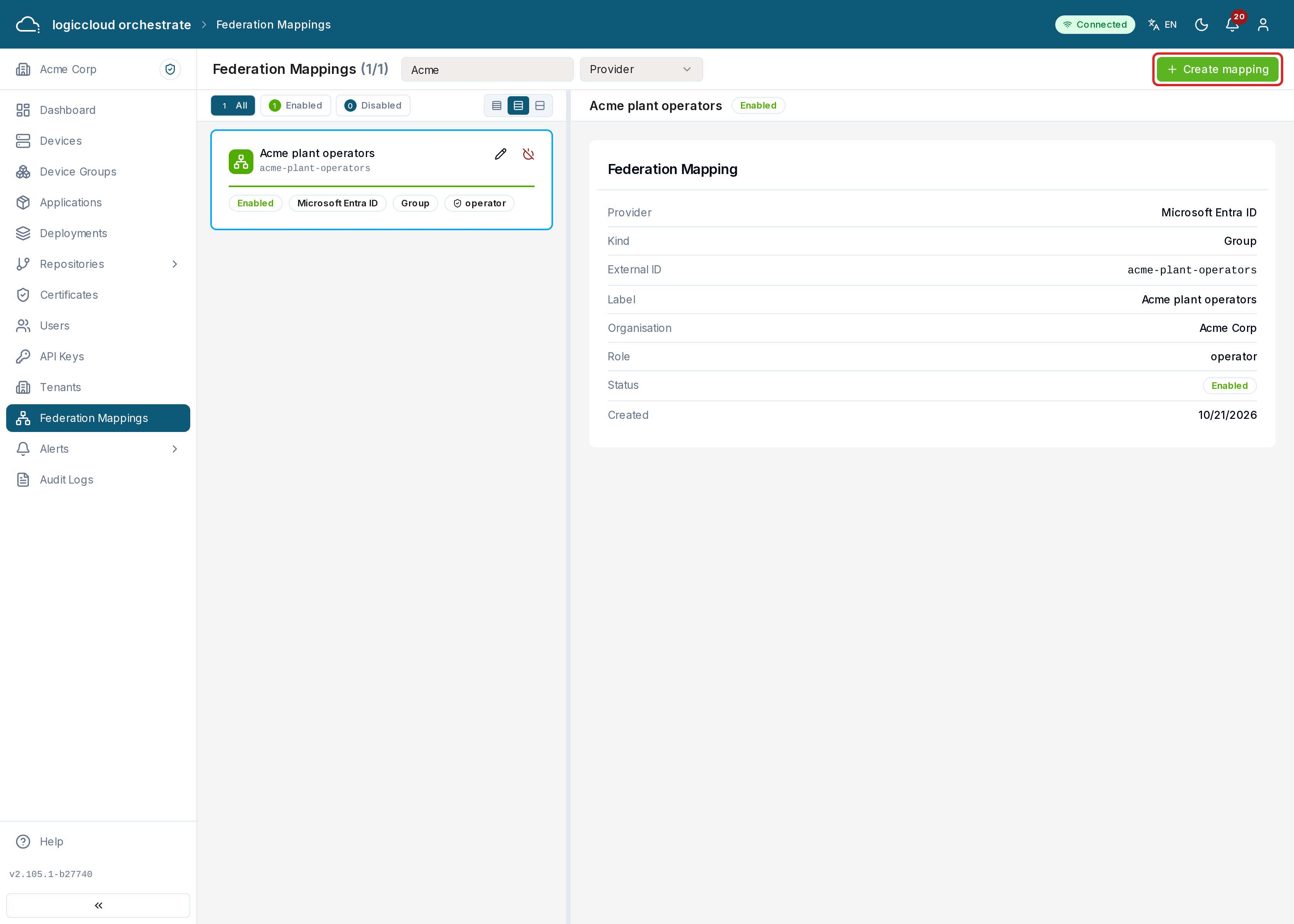
Open Federation Mappings in the sidebar. Each card is one mapping: an app role or group of the identity provider, and the logiccloud orchestrate role it gives in a tenant. Use Search mappings… and the provider filter to find one.
Creating a mapping
Section titled “Creating a mapping”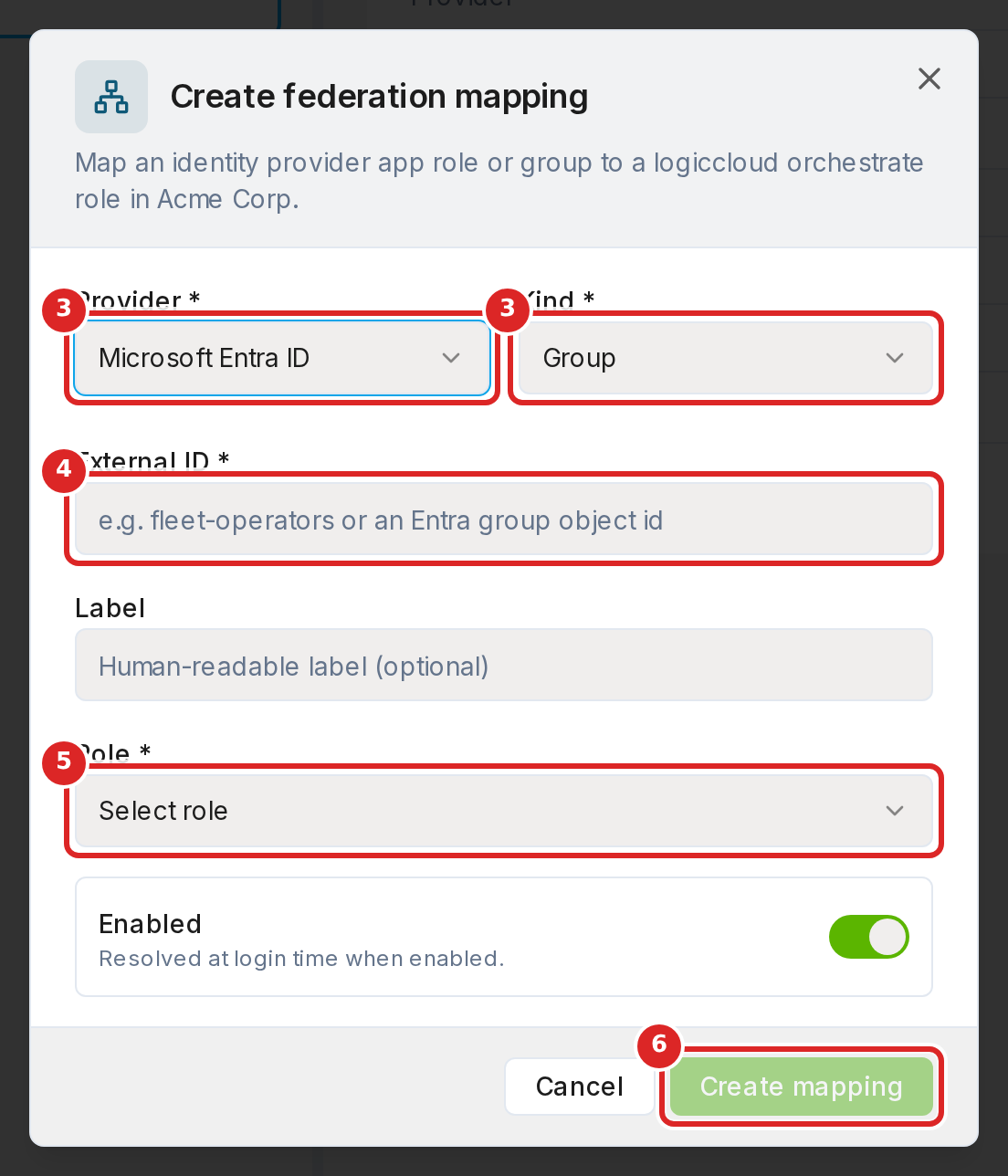
- Switch to the tenant the mapping is for.
- Click Create mapping.
- Choose the Provider (Microsoft Entra ID) and the Kind: App Role or Group.
- Enter the External ID: the app role value, or the object ID of the Entra group. Add a Label to recognize the mapping later.
- Choose the Role the members get in this tenant: admin, operator or viewer.
- Leave Enabled on and click Create mapping.
Each provider and external ID can be mapped once per tenant.
How logiccloud orchestrate picks the role
Section titled “How logiccloud orchestrate picks the role”logiccloud orchestrate applies the mappings each time a person signs in:
- In each tenant, app-role mappings come first. Group mappings count only when no app-role mapping gives a role in that tenant.
- When several mappings match in one tenant, the role with the most rights wins.
- A role given by hand in Users is never removed by a mapping. A mapping can only raise it.
Disabling a mapping
Section titled “Disabling a mapping”Click Disable on the card. The mapping is no longer used at sign-in. People keep the memberships they already have. To use it again, create the mapping again.