Settings
The Settings pages hold tenant-wide configuration. Open them with Settings in the user menu at the top right.
Who can access this: everyone can open Settings. Only admins can save tenant settings such as branding.
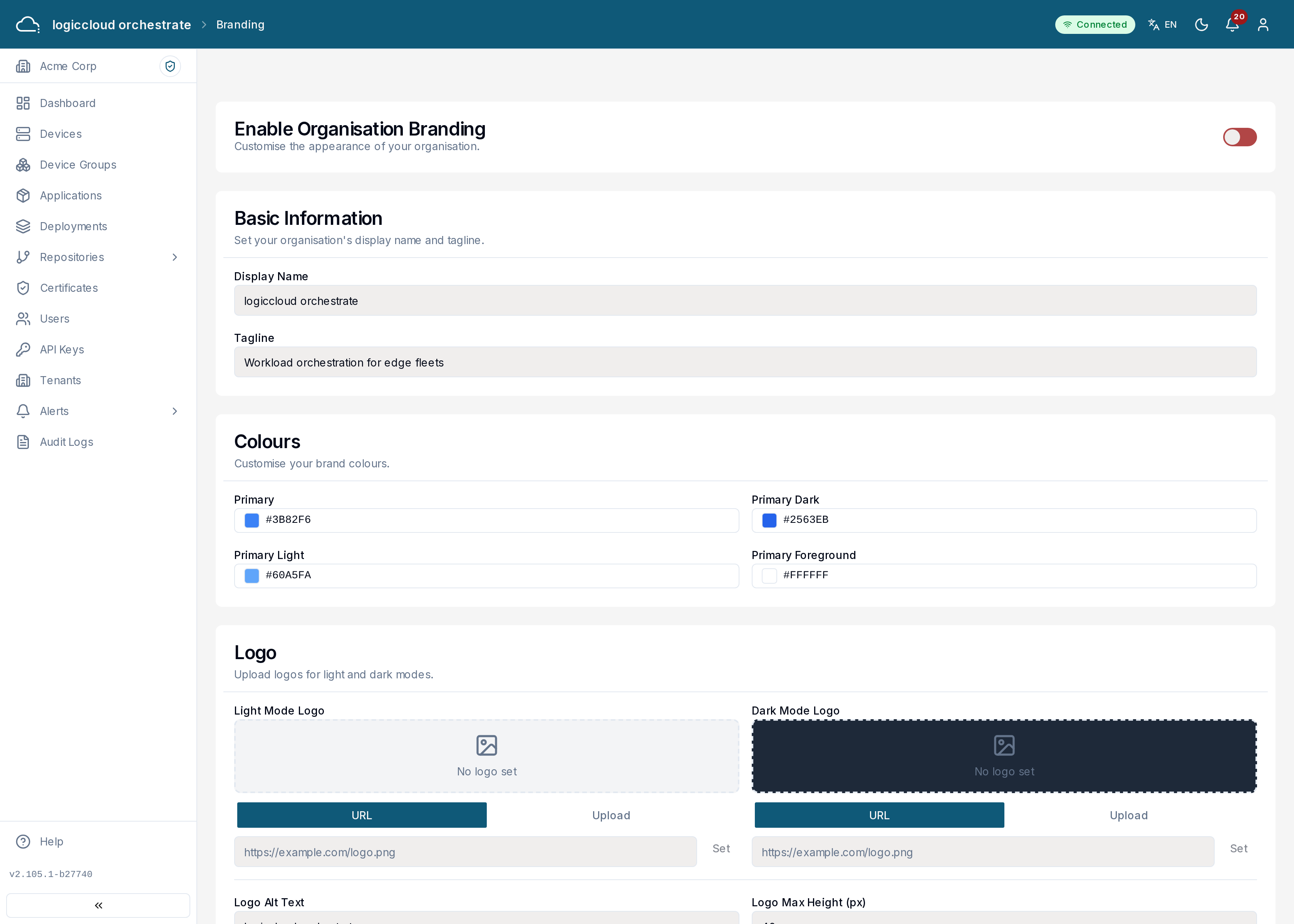
Branding
Section titled “Branding”Customize how logiccloud orchestrate looks for your tenant: upload a logo, set your brand colors, and add an organization name and tagline. Use the preview to check your changes before saving.
Security
Section titled “Security”The Security page is where you manage your tenant’s API keys — see API Keys for the full workflow.
Language and notification preferences
Section titled “Language and notification preferences”Your language and your own notification preferences are personal settings, not tenant settings. Change the language with the language button in the header, and your notification preferences under Profile → Notifications (see Profile).