Certificates
The Certificates module manages the certificates that secure device communication — your tenant’s certificate authority (CA) and the per-device certificates issued from it.
Who can access this: all roles can view certificates. Admins can add, renew, revoke and delete them. Operators can also revoke device certificates.
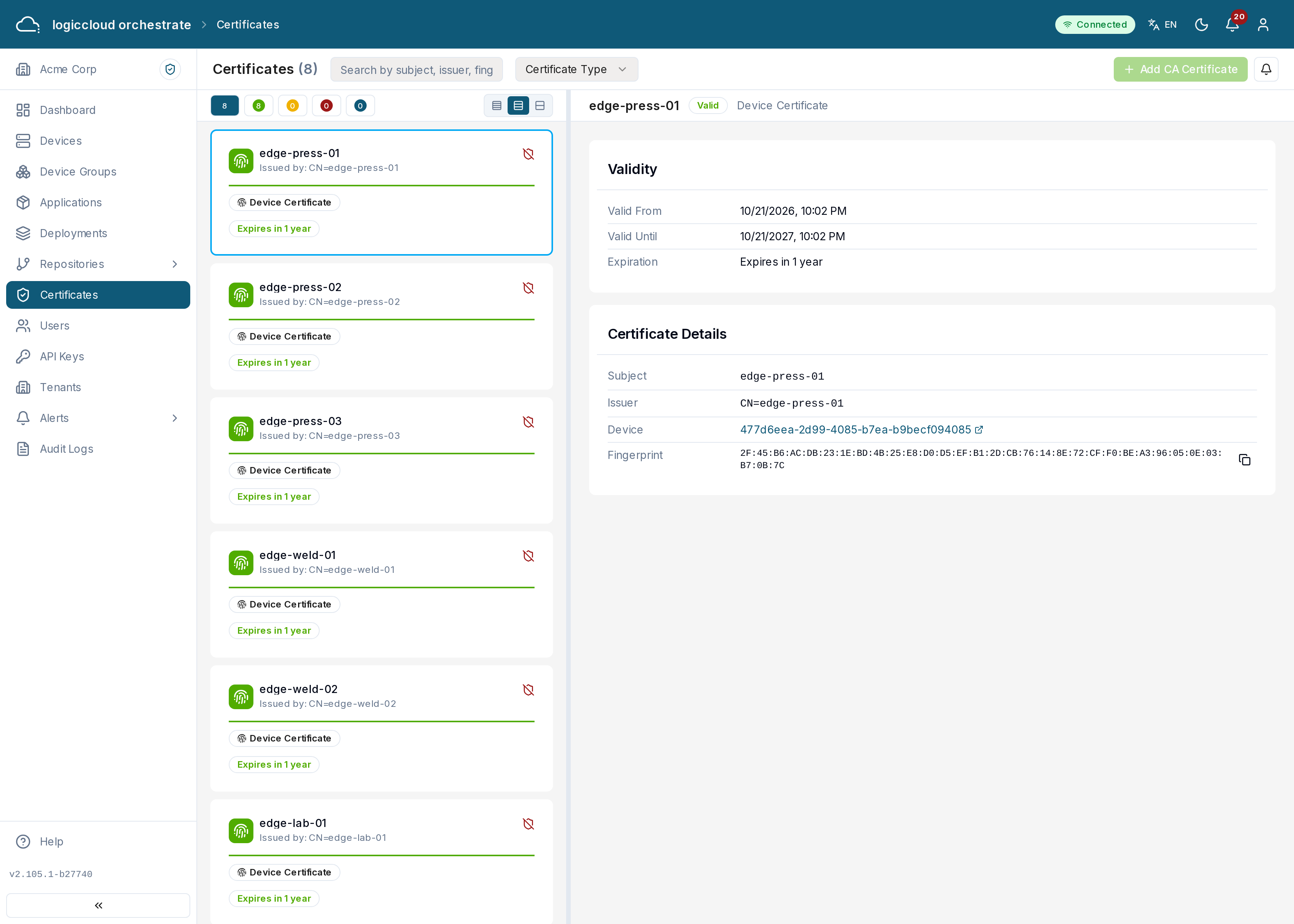
What you see
Section titled “What you see”The certificate list is on the left; the certificate you select opens on the right. Each certificate shows its subject, issuer, type (CA or device), status and expiry. Status bullets summarize valid / expiring / expired / revoked counts and filter the list, and search matches subject, issuer, fingerprint, or device name. A banner lists every certificate that expires within 30 days, with what you can do about each one (see Renewing certificates).
The certificate authority
Section titled “The certificate authority”Devices need an active CA before they can communicate securely. To set one up, click Add CA Certificate and choose either:
- Import — paste an existing PEM certificate and private key (plus an optional passphrase), or
- Generate — enter a common name, organization, country, and validity period, and let logiccloud orchestrate create the CA.
Each device brings its own certificate and presents it when it onboards; logiccloud orchestrate records the certificate exactly as presented (issuer, serial and validity dates).
Working with certificates
Section titled “Working with certificates”Click a certificate to view its full details: validity dates, serial number, algorithms, subject alternative names, and fingerprint (with copy), plus the raw PEM for a CA.
- Renew — re-issue a CA certificate with a new validity period.
- Revoke — invalidate a device certificate.
- Delete — remove a CA.
Status values
Section titled “Status values”- valid — within its validity window and not revoked.
- expiring — less than 30 days from expiry.
- expired — past its expiry date.
- revoked — manually invalidated.
Renewing certificates
Section titled “Renewing certificates”CA certificates
Section titled “CA certificates”Click Renew on the CA card, in the expiry banner or in the detail dialog, and choose the validity period (1–3650 days). logiccloud orchestrate issues a new certificate with the same name and key pair, a new serial number and the new validity, signed the same way as the original (by itself for a root CA, otherwise by its parent CA).
Because the name and key stay the same, devices that already trust the old CA certificate keep trusting everything signed by the renewed one — nothing has to be redistributed to devices. Renewal is refused for a retired CA, and for a CA whose issuing CA’s private key logiccloud orchestrate does not hold; renew that one at the issuing CA and upload the result instead.
Only roles with certificate write permission (admins) can renew; every renewal is recorded in the audit log.
Device certificates
Section titled “Device certificates”Device certificates can’t be renewed from logiccloud orchestrate. The Margo specification version logiccloud orchestrate implements has no way to deliver a new certificate to a device, so the Renew action isn’t offered for devices and the API rejects it.
A device certificate is renewed on the device: the edge agent creates a new certificate for the key it already holds and onboards again with it. logiccloud orchestrate recognises the key, keeps the device’s identity (same client ID, same device, same deployments) and records the new certificate’s validity. The old certificate stays on record, so the device is never locked out during the switch. If the device also generates a new key, it’s registered as a new device instead.