Audit Logs
The Audit Logs module is an immutable record of who did what in your tenant — every create, update, and delete across devices, deployments, users, certificates, and more.
Who can access this: admins only.
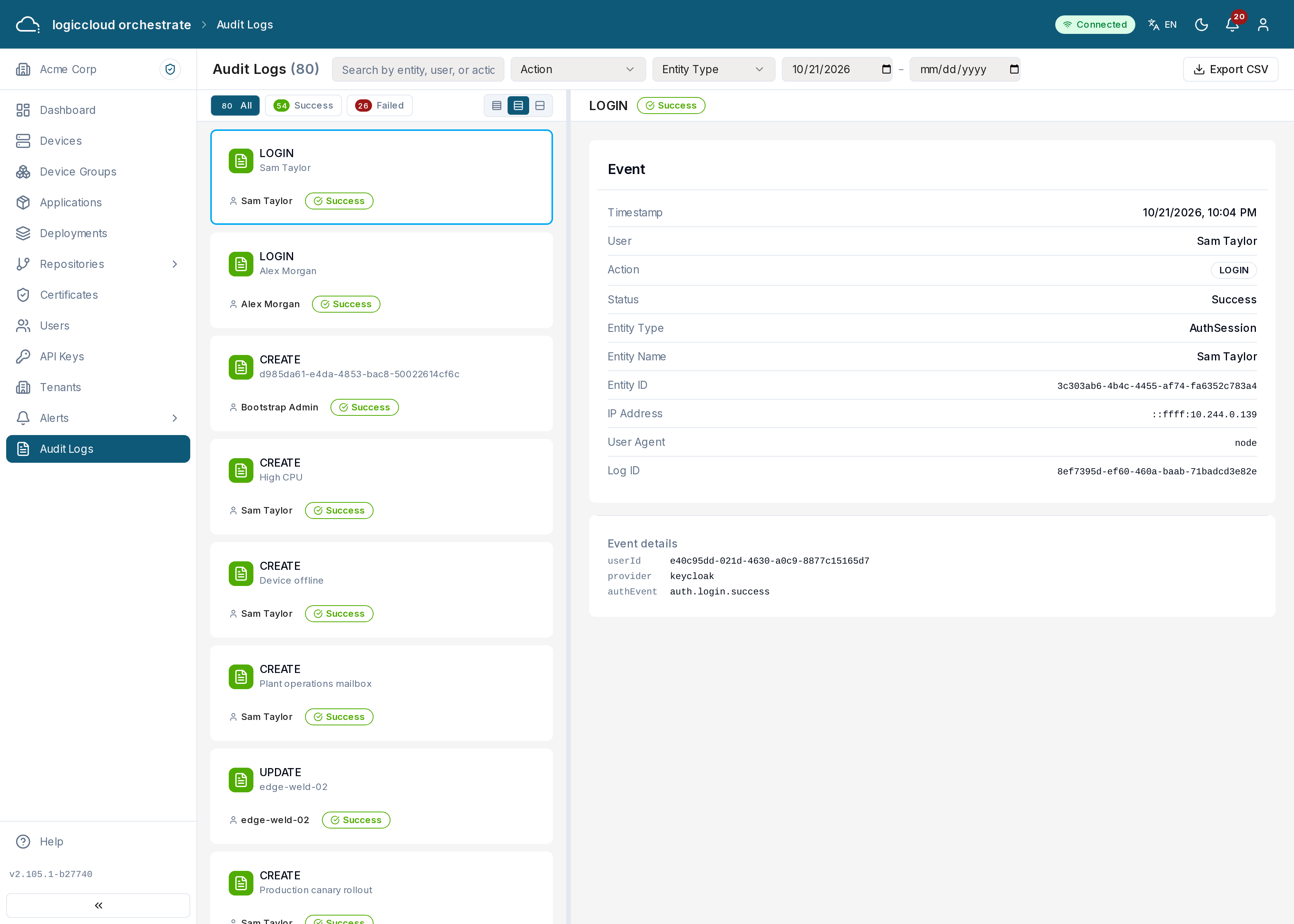
What you see
Section titled “What you see”Cards at the top show the Total Logs, the Entity Types, the Success Rate and the Failed Actions. Below them, the list of entries is on the left and the entry you select opens on the right. Each entry shows the timestamp, the actor (a user, an API key, a device or the system), the action, the affected entity (type and name) and a success or failed status. Status buttons summarize success and failed and filter the list.
The list loads more entries as you scroll, 100 at a time. New entries appear every 10 seconds. If that refresh fails, the page says Live refresh failed; the list may be out of date.
Finding entries
Section titled “Finding entries”Combine the filters to narrow the log:
- Search across timestamp, actor, action, and entity.
- Action and entity type dropdowns.
- A date range.
Tenant switches appear with the entity type tenant-switch. Each entry shows
the action (switch, return or extend), the reason and, for a return, why
the switch ended. See
Tenant scoping and tenant switching for the API calls.
Click an entry to open its details: the actor, action, entity, IP address, the specific fields that changed, and an error message if the action failed.
Exporting
Section titled “Exporting”Click Export CSV to download all entries that match your filters, not only the ones loaded on the screen, as a CSV file (including IP address and changed fields) for archiving or external analysis.
Status values
Section titled “Status values”- success — the action completed.
- failed — the action was rejected or errored; an error message is recorded.